Stocky inventory workflows ended August 31, 2026 · Reorda is available now
Reorderbefore you run out.
Manage purchase orders, suppliers, receiving and stocktakes inside Shopify admin. Use sales-based reorder suggestions and import saved Stocky purchase order CSV files.
14-day free trial · $19/month · Install
Purchasing and inventory tools for Shopify
Low stock forecasts
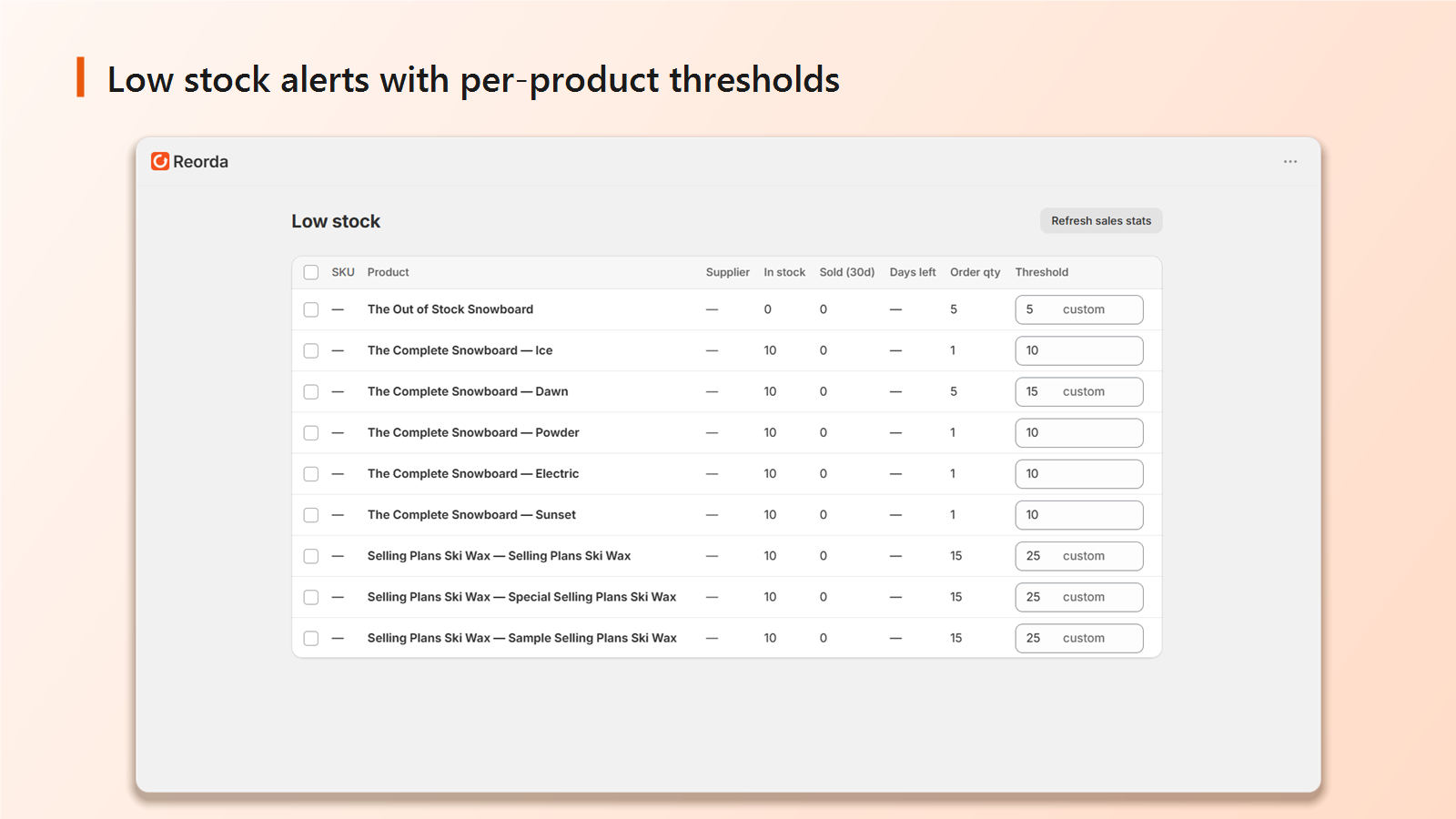
Sales-based forecasts show how many days of inventory remain, so you reorder before you sell out, not after.
Purchase orders, end to end
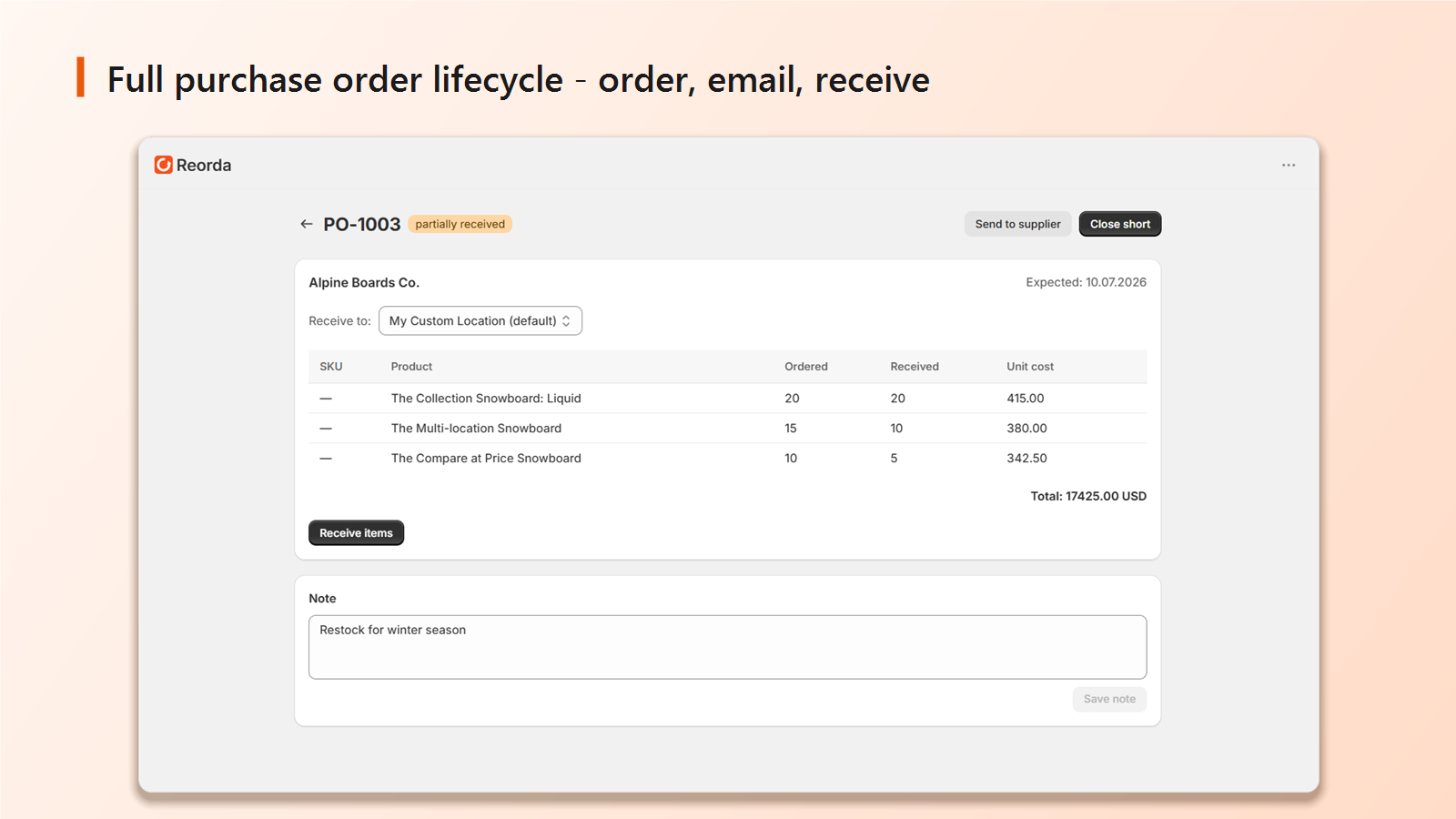
Create POs, email suppliers, receive stock. Shopify inventory updates the moment you mark items received.
Suppliers with memory
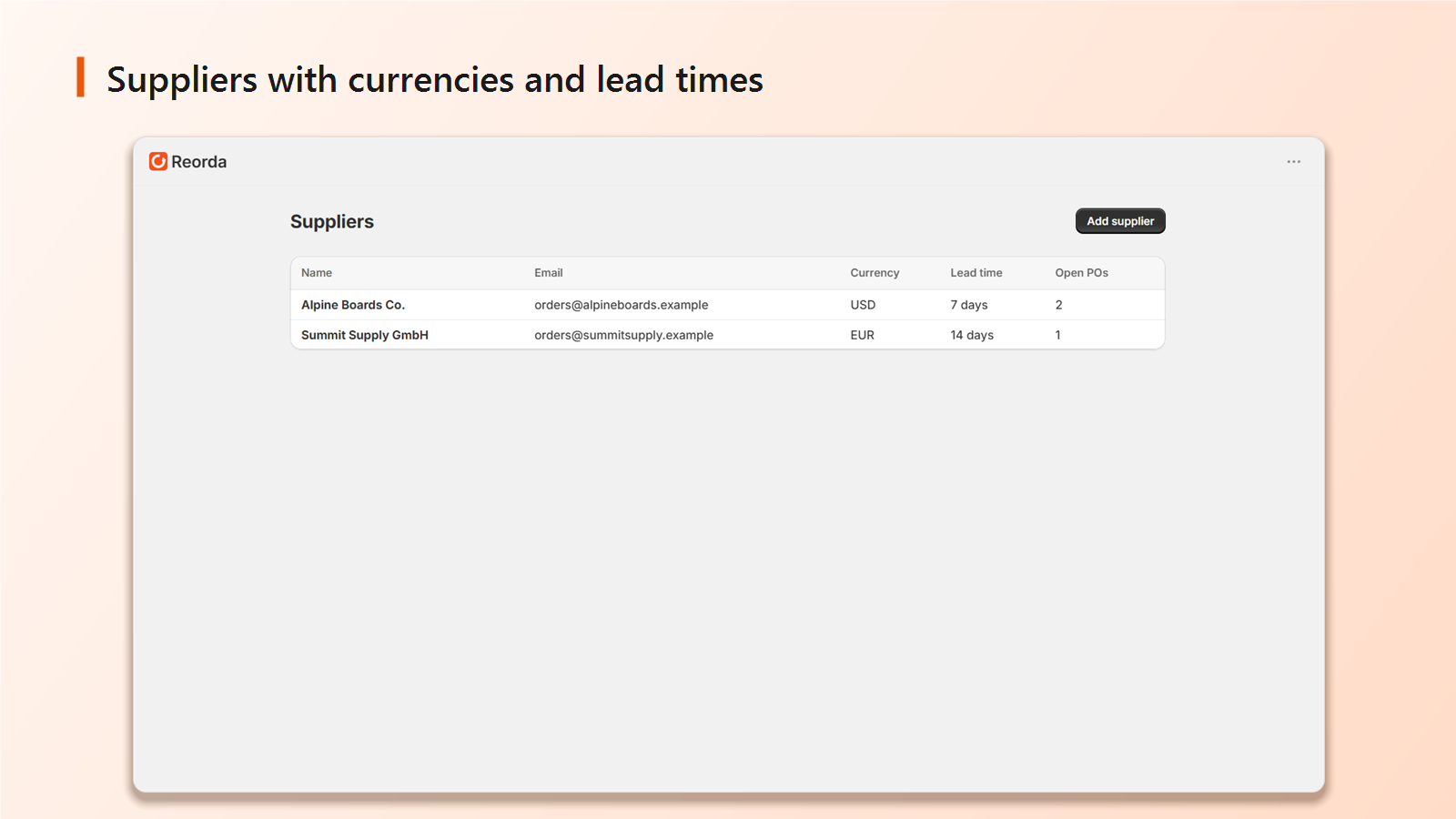
Link products to suppliers once, costs auto-fill on every future order, and learned prices improve over time.
Import from Stocky
Import saved Stocky purchase order CSV files, preview matches, and rebuild supplier links and recorded costs.
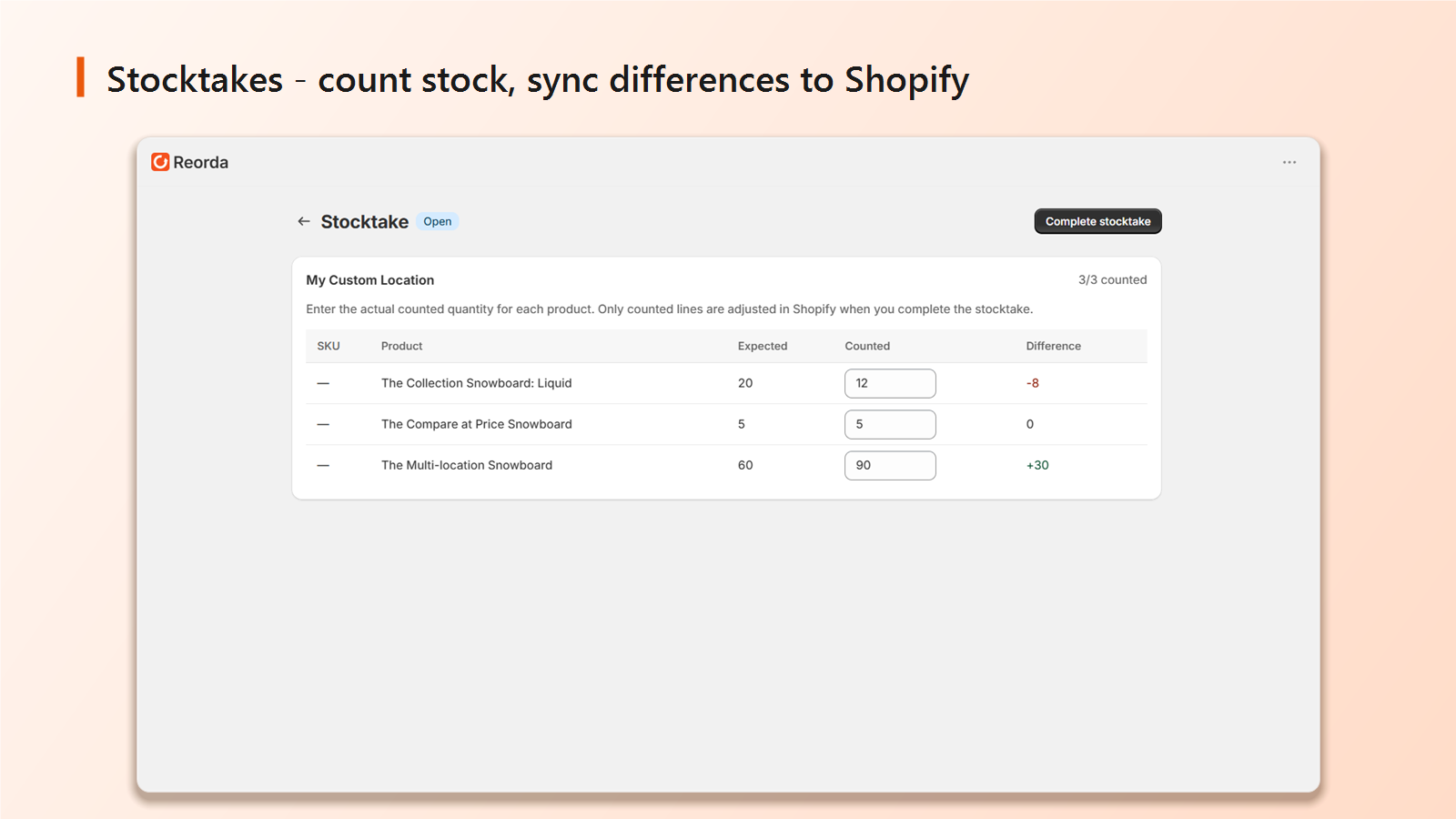
Stocktakes
Count inventory by location, spot discrepancies, and sync corrected quantities back to Shopify.
Daily digest
A morning email with low stock items and suggested reorder quantities, delivered at the hour you choose in your store's timezone.
See which products need reordering.
Reorda watches your real sales velocity per variant and per location, and turns it into days of cover left. When something drops below its reorder point, generate a draft purchase order and review it before sending.
Switching from Stocky
- 1
Export your Stocky data
Download purchase order CSV files during Stocky's read-only export period. Copy missing supplier details separately.
- 2
Import into Reorda
Upload the CSV and review catalog matches, supplier links and recorded costs. Check the import report before relying on the imported records.
- 3
Keep ordering
Reorda calculates reorder suggestions from Shopify sales and inventory data. Allow the first sync to finish and review supplier lead times before creating an order.
A look inside
Everything you need to manage purchasing, without leaving Shopify. Click any image to zoom.
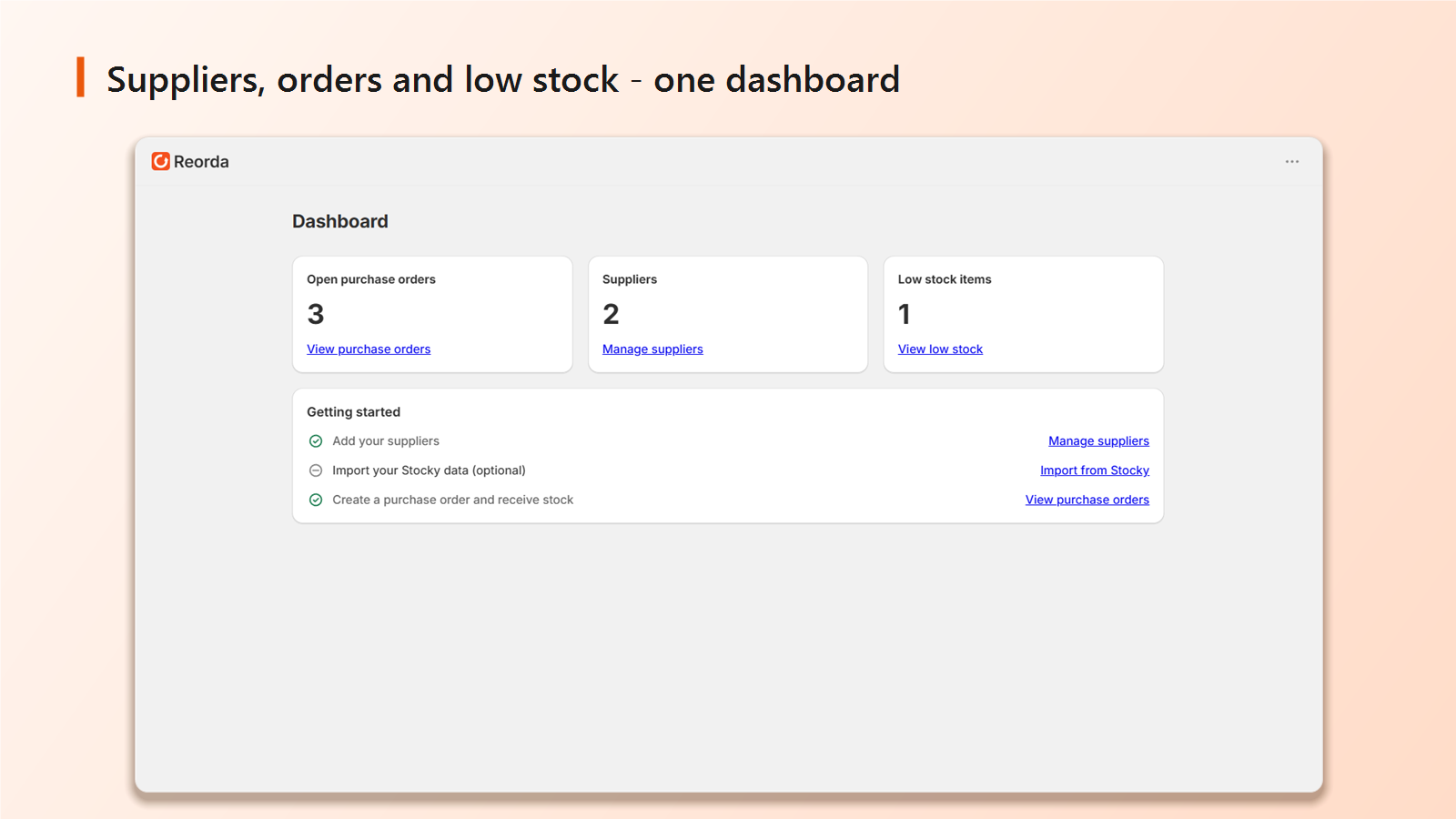
- Dashboard Open POs, suppliers and what's running low at a glance.
- Low stock Days of cover left, forecast from real sales velocity.
- Purchase orders Build, email and receive against a supplier.
- Suppliers Costs and lead times that fill in automatically.
- Stocktakes Count by location and sync corrections to Shopify.
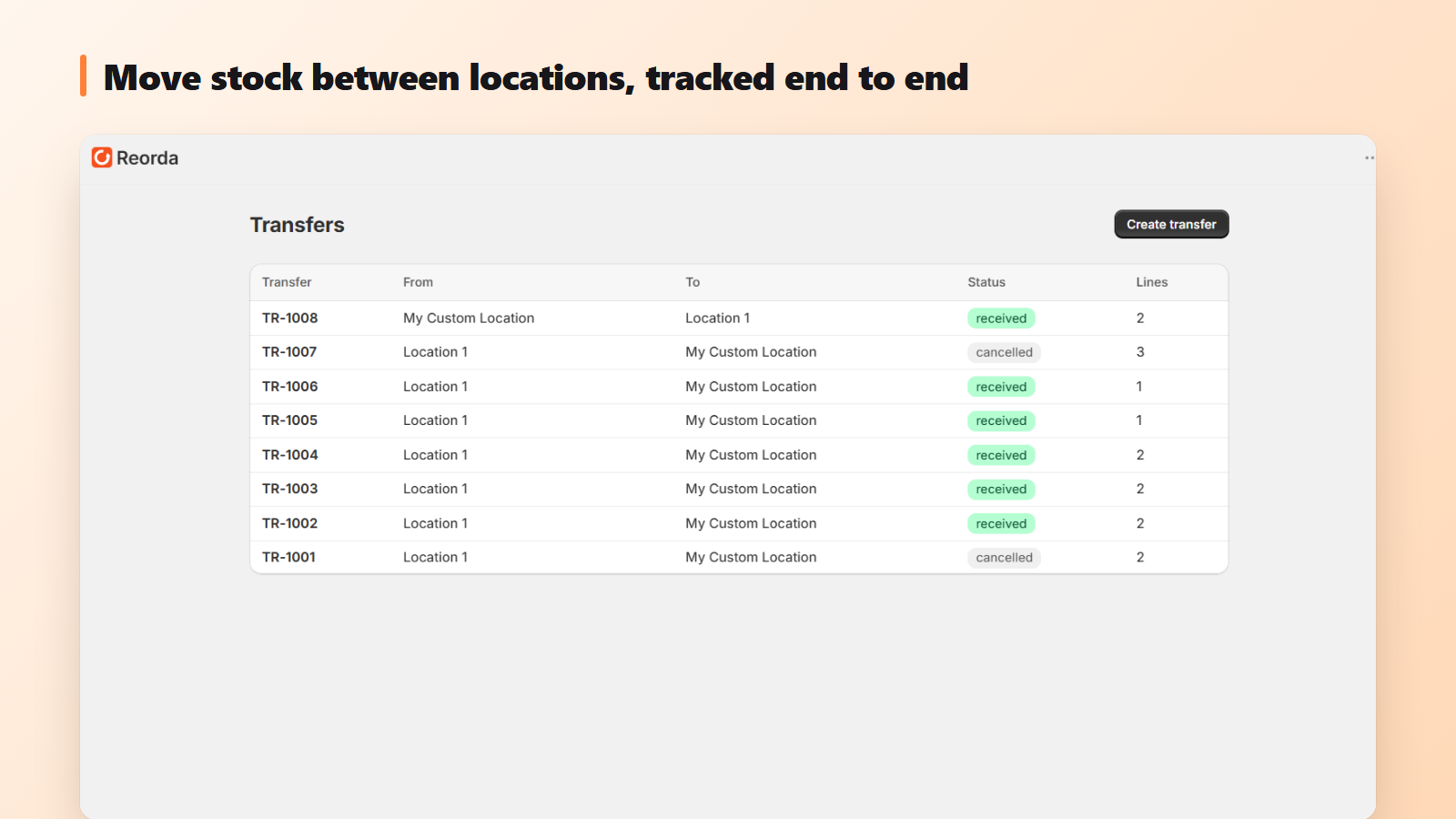
- Stock transfers Send and receive stock between your own locations, with a check that blocks over-sending.